Hosted VoIP, in plain English
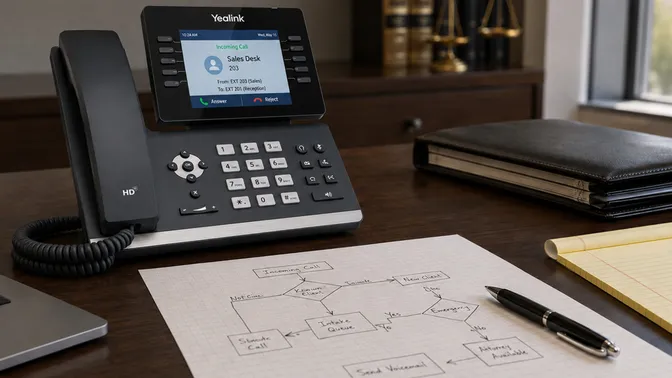
Hosted VoIP is a business phone service where the call-routing system runs on servers your provider operates, not on hardware in your office. You keep the desk phones, the internet connection, and the local network. The provider handles everything else: routing, voicemail, mobile apps, call recording, updates, and outages.
Hosted VoIP replaces the on-premise PBX: the locked metal cabinet in the closet, the maintenance contract, the after-hours call to the consultant who installed it. It also replaces basic legacy VoIP, where you bought “service” but still owned and maintained the call-handling box yourself. And it replaces copper landlines, which the carriers are phasing out anyway.
A hosted VoIP quote usually covers calling, voicemail-to-email, an auto attendant, basic call routing, and a mobile or softphone app. Providers diverge on what’s included by default. Some bundle integrations, call recording, and on-site work into the per-user price. Others list each as a separate line item, with setup fees you find out about later.
The rest of this post traces that gap. What every provider calls hosted VoIP, and what they actually include inside it. By the end, you’ll know what’s standard, how a real rollout runs, where providers differ, and what to ask to tell them apart.
Same thing, different labels
The labels keep changing. The architecture doesn’t. Hosted VoIP, cloud phone system, and business VoIP all name the same underlying technology, which has been stable since around 2014. Each name came from a different generation of vendor marketing chasing a fresh hook.
A few adjacent terms cause more confusion than the three labels themselves.
An on-premise PBX is the hardware-in-your-closet version of a phone system. It’s what hosted VoIP replaces.
SIP trunking is carrier-side connectivity over IP. It sells you the pipe. Hosted VoIP sells you the system that uses the pipe. You still need a phone system somewhere, yours or theirs.
UCaaS (Unified Communications as a Service) is hosted VoIP plus chat, video meetings, screen sharing, and presence, all on one platform. Most hosted VoIP products today are technically UCaaS. Vendors only call it that when they want to sell the whole bundle as a single line item.
CCaaS (Contact Center as a Service) is a call-center-specific layer on top: skill-based routing, supervisor dashboards, agent scoring, deeper CRM integration. A different product from hosted VoIP, sometimes from the same vendor.
If you’re still on copper landlines, the VoIP vs. landline comparison covers that gap.
What the provider runs, what you keep
Hosted VoIP collapses into two boxes. One the provider runs. One you keep.
Hosted by your provider
Everything you don’t have to think about. We run the platform and the infrastructure behind it. You don’t manage servers, apply patches, or worry about uptime.
- Call-control platform
- SIP trunks and outbound carrier connections
- Voicemail-to-email
- Mobile and softphone clients
- Call recording storage
- IVR and auto-attendant logic (the “press 1 for sales” menu)
- Ring groups, queues, and hours-of-operation rules
- CRM and practice-management integrations
Lives on your site
What stays in your building. The phones on your desks and the network they ride on.
- IP desk phones
- Your network: switches, cabling, Wi-Fi
- Your internet connection(s) and any failover circuit
The boundary between the two is your internet connection. Your phones reach the call-control platform over IP. The security and protocol handling at the edge is part of the provider’s infrastructure, not yours.
What’s standard in a hosted VoIP quote is where most buyer confusion lives. The base service should cover calling, voicemail, an auto attendant, ring groups, the mobile app, the web softphone client, and call recording. CRM integrations are usually standard now: Salesforce, HubSpot, and the industry-specific systems your team relies on.
What vendors itemize separately varies more. Setup fees, training, hardware, on-site work, project management, and number porting are common line items. Some providers fold all of it into the per-user price; others list each as a separate line. Our base covers the service and the rollout work — setup, training, and a dedicated project manager — while hardware, taxes, and regulatory fees are quoted on top. The phone systems page lays out exactly what’s in the base. Both models can be defensible. Just ask which one you’re being quoted, and price the alternatives apples-to-apples.
The call-control software behind every hosted VoIP system is the platform that does the actual routing: extensions, voicemail, queues, integrations. Ours is 3CX, a mid-market PBX platform used by a few hundred thousand businesses globally, and we run it on Microsoft Azure. We’re a Platinum Partner, which gives our engineers direct support access from the platform vendor itself. That access is what matters when your phone system needs to do something the demo doesn’t cover.
One thing the desk-phone framing hides: for plenty of businesses, the mobile client is the actual product. A field tech who calls a customer from the company app shows the office number on caller ID, not their personal cell, which means the customer actually picks up the callback. A dispatcher can route a ringing call to a specific tech’s phone in the field, not just to a queue. The same extension that rings on the desk rings on the mobile. For contractors, home-health agencies, route-based service businesses, and anyone whose team isn’t desk-bound, that’s the half of hosted VoIP that matters more than the hardware.
The three weeks between signing and ringing
The gap between hosted VoIP providers shows up most clearly in the rollout. A vendor who ships you a box of unconfigured phones with a quick-start guide and a number to call if you get stuck is doing one version of the work. A provider who walks your office, configures every phone before it leaves their bench, trains your staff phone-by-phone, and ports your numbers once the new system is already live is doing a different version. Same product category. Different delivery.
Here’s what the second version looks like, broken into the six phases customers experience.
| Phase | Timeline | What happens |
|---|---|---|
| 1. Discovery and design | Week 1 | Site walk, network review, current-call-flow mapping, hardware count, number-porting prep. |
| 2. Procurement and provisioning | Week 2 | Phones configured before they leave the office, not after they arrive. |
| 3. Configuration build-out | Week 2 | Extensions, ring groups, IVR, hours, call queues, voicemail boxes, integrations. |
| 4. Training | Week 2 | On-site or remote. Heavy users first; everyone else gets a 3-5 minute session on their specific phone. |
| 5. Number porting | Week 3 | LOA filed (the form authorizing the new carrier to take over your numbers), FOC returned (the losing carrier’s confirmed completion date), exact-data-match check. Local lines around 7 business days. Fax lines 10-12. Toll-free 5-10. |
| 6. Cutover | Port date | Number reassignment onto a system that’s already been live for weeks. When the prep is done, the cutover is uneventful. |
A few details about that timeline matter more than the order.
The provider configures phones before they ship. That sounds obvious. With smaller resellers, it often doesn’t happen. Even with the bigger names, what counts as “configured” varies: a phone with your dial tone working is not the same as a phone with your extension, your line keys, your voicemail box, and your network settings already set up. A truly pre-provisioned phone plugs in once and works. The half-configured kind arrives in a box and becomes someone’s afternoon project.
Training is where providers separate themselves. The cheap version is a YouTube playlist and a link in a welcome email. The middle is 30 minutes for the office manager and call it done. The full version treats training as its own phase, on-site or remote, with separate sessions for heavy users and a short hands-on for everyone else. People learn the system by using it, with someone watching, on their actual phone. It happens before the numbers port, so your team is fluent on the new system by the time it goes live.
Number porting comes near the end, not the start. It’s a well-defined process, and the mechanics are federally regulated, which is what makes them predictable: once the LOA matches what the losing carrier has on file, the port goes through on a set schedule that doesn’t depend on negotiation. The FCC floor for simple ports is one business day; in practice, carrier coordination puts most local lines around 7 business days. Where ports actually stall isn’t the regulation. It’s the paperwork. The losing carrier’s records have to match the LOA exactly: the business name, the service address down to the suite, the account number. A good provider gets that data right the first time and the port lands on schedule. A bad one sends in sloppy info, triggers a reject for a missing suite number or a wrong account, and a port that should have taken 7 business days becomes 14.
Cutover is the phase that’s supposed to be boring. Before port day, the new system is built and tested on temporary numbers, and your old numbers are forwarded to it, so your team has already been taking real calls on the new system. The integrations have synced. The training has happened. The port itself is background cleanup: your real numbers get reassigned to the extensions you’ve already been using, and nothing changes on your end. The forward stays active to catch any calls a carrier is slow to reroute. When the prep was done right, the port is a non-event. When it wasn’t, this is the day everyone finds out.
What the feature list hides
Two providers selling “hosted VoIP” can deliver wildly different service. The product underneath is roughly the same. What they wrap around it isn’t. The six places below are where most of the variation shows up. Each one is verifiable with two phone calls and a price-sheet check.
A note on what’s outside the rubric: every provider in this category will sometimes have a platform outage of their own. The question isn’t whether it happens; it’s what their published uptime looks like over a real window, and where your calls fail over when their region or cloud goes down.
-
Support model. What happens between “something is broken” and “someone fixes it.” A human takes the intake, dispatch triages it, and the right engineer for the actual problem calls you back with context on your account. The bad version is a single tier reading from a script. The worse version is a ticket queue with no triage, where whoever picks up next has no idea who you are.
-
On-site capability. Whether someone can drive to your office when a phone or switch fails. A pure-online provider ships a replacement. A local provider shows up.
-
Porting handling. Who gathers the data and fills out the LOA. Ports are regulated, not negotiated. They work when the paperwork is right. A provider with a dedicated porting specialist gets the account number, billing address, and business name correct the first time. A provider without one hands you the form and lets you find out at the reject.
-
Hardware delivery. Whether phones arrive configured or arrive blank. Hardware-as-a-service, lease, and outright purchase each change the math. Ask which model you’re being quoted.
-
Bill clarity. Whether your monthly invoice tells you what you’re paying for. The base, the taxes, and the regulatory fees should each be labeled. If you can’t reconcile last month’s bill to a price sheet, the provider is hoping you don’t.
-
Security and compliance posture. What’s encrypted, what’s logged, what’s controllable. Calls in transit should be encrypted by default (SRTP and TLS). For regulated industries the bar is higher: a BAA on file for HIPAA, recording-consent prompts where state law requires them (Florida is a two-party-consent state), and recording retention controls you can set yourself. A provider that says “we have call recording” and stops there hasn’t thought about half of this.
Each one of these is the difference between a phone system that works in the background and one that becomes part of your week. The fastest way to surface that difference is to ask the provider the question directly and listen for whether the answer is specific or rehearsed.
Good provider: “Here’s our published callback window, here’s how dispatch routes to the engineer who knows your account, and here’s how we triage by severity.”
Red flag: “Open a ticket; someone will get back to you.” No callback window, no severity triage, no engineer who knows your account.
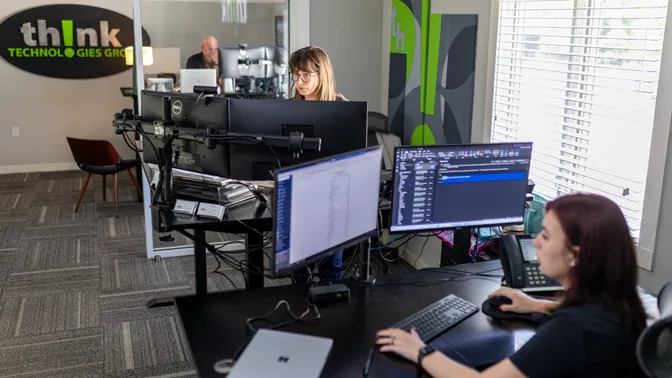
thinkVoIP’s own model lands on the “good provider” side of most of these for structural reasons. Intake is a human, not a chatbot. Dispatch routes to an engineer who has likely worked your account before. The portal exists, but voice-only customers almost never use it. The engineers who configure your system are the same engineers who handle later changes, not a separate implementation team handing off to a support queue. None of that is unusual for the small set of providers who structure their service around it. It’s unusual in the broader category.
The fully-managed post describes how that model actually runs, day to day. This section is the rubric.
Seven questions worth asking
Provider sales calls tend to sound the same. Same feature matrix, same demo flow, same talking points. The way to tell two providers apart is to ask questions that have specific answers. Here are seven, none of them gotchas.
Who configures my system before the phones ship?
What's your typical callback time when something's broken?
Who handles the number porting?
Are call recording, mobile clients, and integrations included, or itemized?
If I need an extension added next month, do I call a person or open a ticket?
Can someone come on-site if a phone or switch fails?
Can I see a sample bill before I sign?
For cross-cutting questions that go beyond this list, the FAQ page covers more ground. The longer pre-sign checklist goes deeper into pricing, contract terms, and what happens at renewal.
The in-person half
Most of hosted VoIP is remote. Calls route through a data center, configuration happens in a web console, support comes over the phone. Three parts of the service aren’t: hurricane prep, on-site response, and multi-location coordination across the state.
The phone system survives a building evacuation because it doesn’t live in the building. The desk phones go dark when the power and internet do, but the numbers don’t route through your closet anymore. The same number rings on whatever device someone is signed into: the desk phone, the mobile app, a browser at home. Nothing has to be rerouted, because the extension already rings wherever the person is. The work worth doing happens before the office is in the cone: deciding which calls should still ring whom, and what the temporary greeting says while the office is closed. The platform handles the routing. The value is a local provider who makes those decisions with you ahead of the storm, not during it.
The on-site half of hosted VoIP is the part that’s hardest to do remotely. A provider whose entire team works out of one zip code can’t get a technician to a Tampa Bay office and a Jacksonville office on the same Tuesday. We staff regional directors of technical services for North Florida and South Florida specifically because they’re different operational territories. Same company, two field teams.
For multi-location customers across Fort Lauderdale, Tampa, West Palm Beach, Orlando, and Jacksonville, the win is one shared system instead of a separate one per office: a single extension plan, internal dialing between locations, and transfers that work the same whether the person is down the hall or in another city. Someone in West Palm dials a short extension and reaches a colleague in Orlando directly, no outside line. That’s a hosted-VoIP feature in general, but it’s only useful if the team configuring it knows your offices well enough to set it up right.
What a local team brings is practical knowledge earned in these markets: hurricane routing playbooks, which carriers each city uses and their porting quirks, working relationships with the telecom field techs nearby. Any team can learn it; the question is whether they’ve done the work where your offices are. That’s worth asking.
Three things this won’t solve
Hosted VoIP doesn’t fix a bad internet connection. If anything, it makes the dependency more visible. The old PBX kept working when the internet went down because it was independently powered and locally routed; calls came through the copper line whether or not your data was working. A hosted system depends on the same data path your computers do. A network without bandwidth, with high jitter, or with packet loss will produce calls that drop, garble, or crackle. The fix is the network, not the phone system; the call-quality guide walks through finding which of those problems you have.
Hosted VoIP doesn’t fix a confused organizational call flow. If your current system rings five people on every inbound call because nobody ever decided who should pick up first, your new system will too. Unless someone takes the time during configuration to redesign the call flow on purpose. The phones change. The org chart doesn’t. Sit with whoever is configuring the new system and make decisions about how calls should route.
Hosted VoIP doesn’t fix staff who don’t want to change phones. People who use the same desk phone for ten years have muscle memory. They know which button is hold, where the speakerphone is, what the voicemail prompt sounds like. The first week on a new phone, none of that is true, and people get frustrated. Training shortens the gap. Skipping training extends it for months.
Two paths
Take the seven questions to your next sales call. Whoever you call, whether or not it’s us. The questions are the work. The answers will tell you whether you’ve found the provider you’re looking for.
If you’d rather just call us, the number is 844-767-1924. No deck, no scripted demo, no urgency framing. We’ll ask what your current setup looks like and what’s not working, and we’ll tell you whether we’re the right fit. If we’re not, we’ll say so.
Or fill out the contact form if you’d rather start in writing.
If you’re happy where you are, close the tab. The phone number works for everyone else.