If you’re shopping a phone system for a law firm, you’ve already read the articles. Ten providers compared on the same feature lists: call recording, mobile app, voicemail-to-email, auto attendant, multi-line conferencing. The features are the same everywhere. The per-user prices are usually within a few dollars of each other.
A law firm’s phone system is not better because it has more features. It is better when someone configures ordinary features around the real moments where calls matter: referrals, matter context, confidentiality, attorney availability, and continuity.
That is the work most comparison articles skip. Estate signings follow a coordination pattern an estate planner runs every week. Real estate closings have a window measured in hours, not days. Corporate practice runs on lower call volume; each call tends to matter more. The phone system is supposed to make all of that disappear into the background. Most of them don’t, because most of them come from national providers who never see the inside of your practice.
Referral relationships
Your real intake doesn’t come from cold prospects.
If you’re an estate planner, it’s mostly CPAs and financial advisors who’ve worked a client’s tax or retirement situation and now need someone to handle the estate. If you handle real estate closings, it’s the same three or four agents calling with their next deal. If your work is corporate or transactional, it’s a banker, another lawyer, or a client you’ve represented for years routing the next deal to you.
A referrer is calling because they trust you. That trust erodes the first time it lands in a generic voicemail or routes to a stranger who doesn’t know who they are.
Every phone system has to start somewhere: a main greeting, a voicemail box, and an after-hours rule. The question is whether that default matches how your firm actually wins and keeps business. The CPA calling at 6:30pm on Friday to flag a client situation may need a partner’s mobile, not the main mailbox. The realtor calling about a Tuesday closing on hold for a wire confirmation may need a direct path past the auto attendant, not ten seconds of menu navigation before trying the attorney whose office picks up on the second ring.
The features are the same everywhere. The choices about them aren’t. The after-hours rule that sends a referral call to the partner’s mobile, not the office voicemail. The voicemail greeting that names the firm in plain English. The direct extension for the three or four realtors who call the most, so they skip the auto attendant. None of those are special features. They are decisions made around ordinary features, and those decisions get made intentionally or left to the platform default. The Friday afternoon call lands somewhere either way.
Practice management integration: where most providers fall short
If your firm runs Clio, Filevine, MyCase, PracticePanther, or Lawmatics, your phone system is supposed to talk to it. RingCentral, Nextiva, 8x8, Vonage, and Dialpad all claim integrations with the major legal-software products. The reality, when you set it up, is uneven.
Some integrations are real. The phone system pulls the matter when a client calls, drops the call into the matter file, logs duration as a billable time entry, surfaces a screen pop with the contact card. That’s what the marketing brochure shows.
Other integrations rely on third-party bridge software, like Zapier. Instead of a built-in connection, the vendor ships a basic connector that syncs simple call logs, and the rest of what you wanted (screen pops, click-to-call from inside the matter, automatic time-entry capture) is something you build yourself or pay a consultant to glue together.
The difference is invisible until you’re three weeks in. One small firm that switched to a legal-specific phone platform after trying Google Voice, Dialpad, and RingCentral with their Filevine setup put it cleanly: “All of them promised to make our lives easier with call-to-note functionality. None of them integrated well with Filevine. I wasted hours trying to make them work, only to end up frustrated.”1
The integration depth question is the right question to ask in the demo, not the sales call. Ask whoever’s selling you a phone system to show you a live call landing in your specific practice management software. Ask them to show the click-to-call working from inside a matter. Ask where call recordings live, if you use them: in the matter file, or in a separate cloud bucket you’ll have to download from later. The answer often shifts from “yes” to “well, sort of” when the demo gets specific.
3CX, the platform we deploy for our law firm customers, ships with direct integrations to several practice management systems. It has a documented API for the rest. That matters only if someone can turn the integration into the workflow you actually expected: caller context when the phone rings, click-to-call from the matter, call history where your staff can find it, and a clear answer on where recordings live if you use them.
We’re a 3CX Platinum Partner with an in-house dev team that built Controvo, a 3CX management platform other resellers and MSPs use. When a firm runs a less-common PMS, or wants behavior the shipped integration doesn’t cover, we can scope what is possible instead of pretending every integration works the same way. If your firm runs a practice management system we haven’t deployed before, we’ll tell you up front, before you sign anything, what the integration would actually take to do well.
Phone-system decisions to raise with counsel
Most lawyers don’t think of the phone system as a place where ethics and recordkeeping questions show up. It is.
This is not legal advice, and your firm should confirm its recording and retention practices with counsel. But the phone-system questions are practical enough to ask before you sign a phone contract.
Florida is a two-party consent state for recording.2 If your phone system records calls (and most modern systems can), everyone on the call generally needs to know and consent. The default in many VoIP platforms is broad recording; the safer conversation for a law firm is selective recording, a recorded prompt, or verbal consent at the start of calls you intend to record. The Bar hasn’t issued a phone-system-specific opinion, but Florida Rule 4-1.6 on confidentiality, and the underlying ABA Model Rule 1.6, both point back to the same operational questions: where do recorded client communications live, who can access them, and what does the vendor’s contract say about that access?3
Texting clients raises a parallel issue. Texts about a matter can contain confidential client information the firm has to safeguard. If attorneys text clients from personal cell numbers, the record lives on a personal device the firm doesn’t control. A better default is texting from the firm’s number through a managed system, then deciding how those messages should be retained or connected to the matter file based on the firm’s practice-management setup. As of 2023, business texting also has to be 10DLC-registered with the carriers; if your provider hasn’t walked you through 10DLC registration, you may be sending texts that mobile carriers are filtering out before they reach your client.
The personal-cell question is its own conversation, and it’s the one most attorneys regret answering with a shrug.
Personal cell phones for client calls: why most attorneys regret it
Lawyers default into using their personal cell number for client calls because the alternative, a desk phone they’re not at, feels like the worse option. It seems like a pragmatic choice at first, but it introduces three distinct operational costs to the firm.
The first cost is boundary loss. Every current client now has the line that rings on Saturday morning, on vacation, at your kid’s soccer game. They use it. The status-update calls and “quick questions” arrive at all hours. You stop answering. New-prospect calls land in the same number and get the same treatment.
The second cost is the audit trail. A personal-device text thread usually isn’t searchable by the firm, isn’t archived by the firm, and doesn’t migrate cleanly into the matter file. If a former client claims they texted you something they didn’t, or vice versa, the record is on a personal device the firm doesn’t control. The ABA Litigation Section’s guidance on texting clients points the same direction: device security and preservation of the messages matter under Rule 1.6’s reasonable-efforts standard.4
The third cost is harder to see until staff turnover. The associate who left last year took their personal cell with them. The clients who texted them about active matters now have a number that doesn’t reach the firm, and a relationship path the firm no longer controls. Maybe the client stays with the firm. Maybe they follow the attorney. Either way, the firm made that transition harder by letting the client relationship live on a personal number. The new associate has to start the relationship over.
The clean alternative is a softphone tied to the firm’s number. Same user experience as a regular phone app on your mobile device, but the caller ID is the firm’s, the communication record belongs to the firm, and when the associate leaves, the number stays with the firm. Where the practice-management integration supports it, those calls and messages can be connected back to the matter instead of living in a private thread. This is one of the more straightforward problems a managed phone provider solves for you. It’s also one of the cheapest to fix early. And one of the most expensive to clean up after years of personal-cell drift.
When the attorney isn’t at the desk
What happens when the attorney is not at the desk?
For an estate-planning firm, “not at the desk” is most signing meetings. The signing happens at a kitchen table, in a hospital room, or wherever the client needs it to happen. The attorney is on the road, then in a meeting, then on the road again. A CPA calling during that window, or a successor trustee with a question, or a hospice nurse confirming a bedside signing time, expects the call to reach somebody.
For a real estate closing attorney, “not at the desk” is closing walkthroughs and off-site signings. The walkthroughs are scheduled but the calls aren’t. An agent calling about a closing-day question doesn’t know whether you’re at your office in Miami or at a kitchen table on the other side of Broward County. The phone system shouldn’t make them guess.
For corporate and transactional work, “not at the desk” is deal-stage travel. You’re in New York for a closing, in Atlanta for diligence, in a hotel room reviewing a redline at 11pm. The desk-phone number on your business card and your engagement letter still has to reach you. Your assistant back at the office still has to be able to transfer a call to wherever you are.
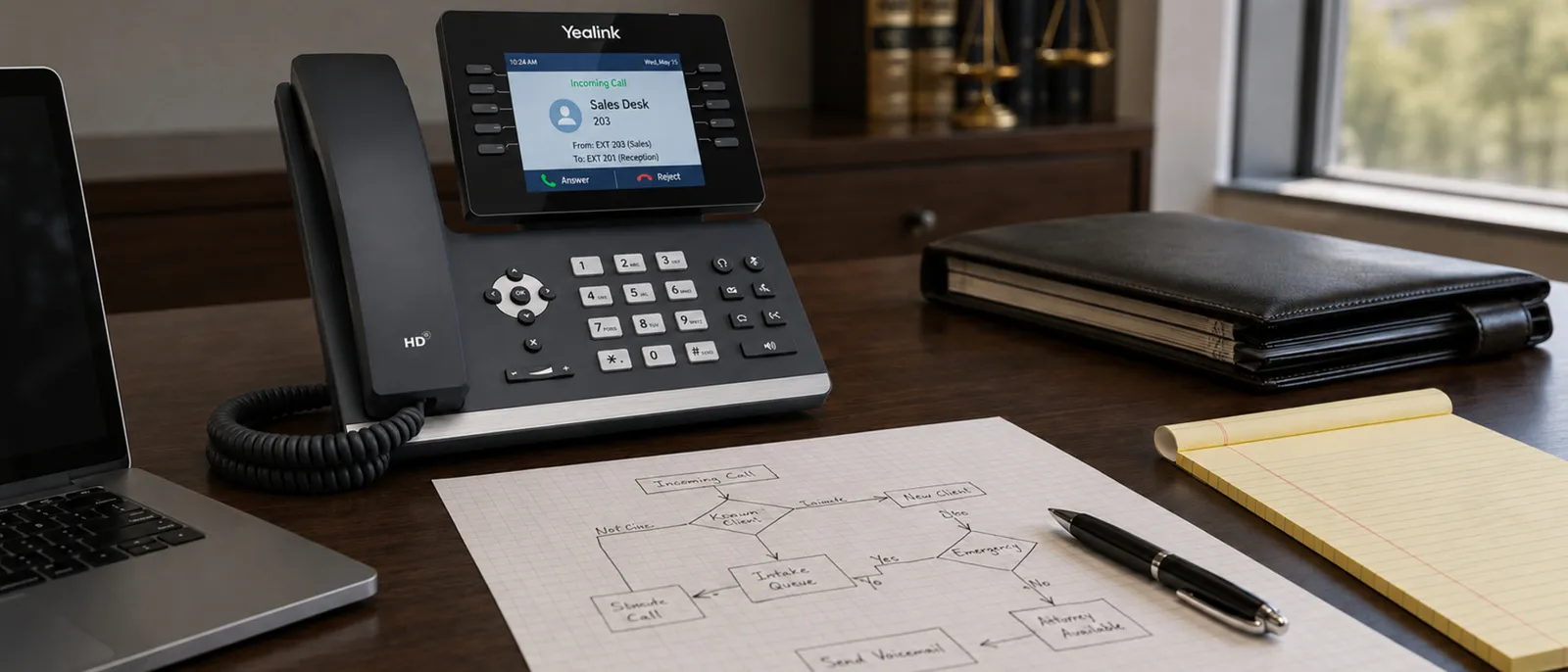
The answer is mostly architectural. Modern business VoIP runs in the cloud. The phone on the desk can be a Yealink handset, but it can also be a softphone in a web browser or an app on a mobile device, and most practices end up using all three depending on where the user is. The desk-phone number isn’t tied to the desk. It’s tied to the user, and it rings on whichever device that user has signed into. Voicemail-to-email puts the message in the inbox the attorney is checking. After-hours routing reaches a device the attorney is actually carrying. The call still has to land somewhere; that part is the firm’s policy decision, not the platform’s. (For more on the difference between operational defaults and contractual service promises, see what to ask before you sign a VoIP contract.)
Hurricane season for the phone system
We’re in Florida. We have hurricanes. Closings may move with the storm. The phone system doesn’t have to.
This is not a special legal feature, and it is not something only we can do. It is the ordinary promise of a properly managed cloud phone system: your number rings on whatever device you’re signed into: the desk phone, your mobile, a web browser at your kitchen table. The system lives in the cloud, not in your office. When the desk is empty, the same number can still reach the person or group the firm chose in advance.
The useful work is deciding that routing before your office is in the cone. Which calls should still ring the attorney? Which should go to staff? Which should get a temporary greeting? Which numbers matter most if the office is closed but closings, signings, or client updates are still moving? The platform can do the routing. The value is having someone slow down long enough to help the firm make the decision before it becomes urgent.
Common questions
Can our calls show up in Clio, Filevine, or our practice management system?
Can I record client calls in Florida?
What happens to our phone system during a hurricane?
Should attorneys text clients from their personal cell phone?
How long does a switch from RingCentral or Nextiva typically take?
Do attorneys need a desk phone, or is a softphone enough?
Can we keep our existing phone numbers if we switch providers?
What's the typical monthly cost per attorney for managed VoIP?
Where this fits
When something on your phone system breaks, what matters is how fast you reach a person, who routes the ticket, and what the engineer who calls you back already knows about your account. That’s the reactive half of running a phone service, and it gets attention because it’s the half a customer notices.
This post is the proactive half: the work that depends on someone at your provider knowing that the CPA calling at 6pm is the referral, not a cold prospect, and that your firm’s numbers need to keep working when a storm forces the building to close. That work happens before anything breaks. Most of it happens before your first call with us about a problem, because the goal is for that call to come up less often.
If your phones are with a national provider that mailed you a config sheet and a portal login, this is the half you may not have. If you want a practical next step, send us your current phone bill, a rough description of your call routing, and the practice-management system your firm uses. We’ll tell you what is worth changing, what is fine to leave alone, and whether what we do is worth the switch. Call us at 844-767-1924 or tell us about your setup. What we mean by fully managed is the rest of the answer.
If your current setup is working, that’s the right answer for you — keep doing what works. If something’s been bugging you about it, we’d be glad to walk through it.
Footnotes
-
Quote from a published case study by VXT, a legal-focused phone platform: vxt.ai/testimonials/rutherford-law. ↩
-
Florida Statutes §934.03 (interception of wire, oral, and electronic communications). All parties to the communication must consent. ↩
-
Florida Rule of Professional Conduct 4-1.6 — current text on the Florida Bar rules portal, or in the dated consolidated Rules Regulating The Florida Bar PDF as it stood March 2024 — and ABA Model Rule 1.6 both require lawyers to make reasonable efforts to prevent unauthorized disclosure of confidential client information. ABA Formal Opinion 477R addresses secure electronic communication of client information. ↩
-
American Bar Association, Litigation Section, Ethics & Professionalism: “Considerations for Communicating with Clients via Text Message”. The article applies Rule 1.6(c)‘s reasonable-efforts standard to text messaging, including device security, accidental disclosure risks, and preservation of texts as part of the client file. ↩